APC Battery Backup Manual: A Comprehensive Guide
This manual details APC battery backups, covering types, components, battery replacement, troubleshooting, and software. It’s a resource for optimal power protection and system reliability.
APC battery backups are crucial for safeguarding electronic devices against power disruptions, offering a reliable power source during outages, surges, and voltage fluctuations. These systems, ranging from basic models to advanced Smart-UPS units, provide seamless power transfer, preventing data loss and hardware damage. Understanding the core functionality of an APC backup is essential for both home and professional users. They ensure business continuity and protect sensitive equipment like computers, servers, and networking devices.
Proper implementation and maintenance, guided by this manual, maximize the lifespan and effectiveness of your APC solution.
Understanding UPS Types
APC offers diverse UPS solutions tailored to varying needs. Primarily, these fall into two categories: line-interactive and on-line (double-conversion). Line-interactive UPS systems regulate voltage fluctuations without constantly using battery power, making them efficient for typical power environments. On-line UPS, conversely, always run from the battery, providing complete isolation and zero transfer time during outages – ideal for critical applications.
Choosing the right type depends on the sensitivity of your equipment and the quality of your local power grid. This guide will help you determine the best fit.
Line-Interactive UPS
Line-interactive UPS systems represent a balance between cost-effectiveness and reliable power protection. They automatically regulate voltage fluctuations – brownouts and overvoltages – using an auto-voltage regulation (AVR) feature, extending battery life. During a complete power failure, the UPS seamlessly switches to battery power, safeguarding connected equipment.
These are well-suited for home offices, small businesses, and less critical applications where a brief transfer time is acceptable. They offer excellent protection against common power disturbances without the higher cost of on-line UPS systems.
On-Line (Double-Conversion) UPS
On-line, or double-conversion, UPS systems provide the highest level of power protection. They continuously convert AC power to DC to recharge the battery, and then back to AC, isolating connected equipment from all power disturbances. This means zero transfer time during outages, ensuring uninterrupted operation for critical devices.
Ideal for servers, data centers, and sensitive medical equipment, these UPS systems eliminate voltage fluctuations, frequency variations, and electrical noise. While more expensive than line-interactive models, they deliver superior reliability and data security.

Key Components of an APC Battery Backup
APC battery backups comprise several essential components working in unison to deliver reliable power protection. These include the rectifier, which converts AC to DC for battery charging; the inverter, transforming DC back to AC for output; and the battery itself, storing energy for outages. A crucial element is the control circuitry, managing power flow and monitoring system status.
Additionally, surge protection safeguards against voltage spikes, while internal sensors and alarms provide real-time feedback. The housing protects internal components, and communication ports enable remote monitoring and management.
Battery Types Used in APC UPS Systems

APC UPS systems commonly utilize two primary battery types: sealed lead-acid (SLA) and lithium-ion. SLA batteries are cost-effective and reliable, offering a good balance of performance and lifespan, making them suitable for general-purpose applications. Lithium-ion batteries, while more expensive, provide higher energy density, longer lifespans, and reduced weight.
The choice depends on the specific UPS model and application requirements. Lithium-ion is increasingly favored for higher-end models demanding extended runtime and reduced maintenance. Proper battery maintenance is crucial for optimal performance and longevity, regardless of the type.
APC Smart-UPS Model List & Compatibility
APC’s Smart-UPS series offers a wide range of models designed for diverse power protection needs. From entry-level models like the Smart-UPS 750VA to high-capacity units such as the Smart-UPS 3000VA, there’s a solution for various applications. Compatibility with operating systems and virtualization platforms is extensive, including Windows, Linux, and VMware.
Selecting the correct model involves assessing power requirements and desired runtime. Utilizing APC’s compatibility tools and documentation ensures seamless integration with your IT infrastructure. Regularly checking APC’s website for updated model lists and firmware is recommended.
Identifying Your APC UPS Model
Accurately identifying your APC UPS model is crucial for accessing the correct documentation, replacement parts, and software. The model number is typically located on a label affixed to the rear panel of the unit. This label also contains important information like the serial number and firmware version.
Referencing the model number against APC’s online database or product manuals ensures you have the precise specifications for your specific UPS. Knowing your model allows for targeted troubleshooting and compatibility checks when selecting replacement battery cartridges or network management cards;
Replacing the Battery Cartridge
Regular battery replacement is essential for maintaining the reliability of your APC battery backup system. Batteries degrade over time, reducing runtime and potentially failing during a power outage. The frequency of replacement depends on factors like load, temperature, and usage patterns, typically every 3-5 years.
APC offers convenient, pre-assembled battery cartridges designed for easy installation. Before proceeding, always observe strict safety precautions to avoid electrical shock or damage to the UPS. Proper disposal of old batteries is also crucial, following local environmental regulations.
Safety Precautions Before Battery Replacement
Prioritize safety during battery replacement. Disconnect the UPS from the mains power source to eliminate electrical shock hazards. Wear appropriate personal protective equipment, including insulated gloves and eye protection. Avoid short-circuiting the battery terminals with metallic objects, as this can cause damage or injury.
Work in a well-ventilated area, as batteries may release flammable gases during handling. Ensure the UPS is turned off and unplugged before opening the battery compartment. Do not attempt to disassemble or repair individual battery cells; always replace the entire cartridge. Follow all local regulations for battery disposal.
Step-by-Step Battery Replacement Guide
Begin by powering down the UPS and disconnecting it from both the power source and connected equipment. Open the battery compartment, typically located on the front or side of the unit. Carefully remove the old battery cartridge, noting its orientation for correct installation of the new one.
Connect the new battery cartridge, ensuring proper alignment and secure connections. Close the battery compartment door. Reconnect the UPS to the power source and power it on. Verify proper operation through self-tests and indicator lights. Properly dispose of the old battery cartridge according to local regulations.
Battery Cartridge Selection
Choosing the correct battery cartridge is crucial for optimal UPS performance and longevity. APC offers various cartridges designed for specific models. The APC Replacement Battery Cartridge 44 (RBC44) is a common choice for many Smart-UPS models, providing reliable backup power. Similarly, the APC Replacement Battery Cartridge 57 caters to higher-capacity units, ensuring extended runtime during outages.
Always verify compatibility with your specific UPS model before purchasing. Using an incorrect cartridge can lead to reduced performance or even damage the unit. Genuine APC cartridges guarantee quality and are tested for seamless integration.
APC Replacement Battery Cartridge 44 (RBC44)
The RBC44 is a widely compatible battery cartridge designed for numerous APC Smart-UPS models, offering a cost-effective solution for restoring backup power. It’s engineered to seamlessly integrate, ensuring optimal performance and reliability. This cartridge typically provides extended runtime, safeguarding critical equipment during power outages. Installation is straightforward, often requiring no specialized tools.

Genuine RBC44 cartridges undergo rigorous testing to meet APC’s quality standards, guaranteeing compatibility and longevity. Replacing with an authentic RBC44 ensures your UPS functions as intended, protecting valuable data and systems.
APC Replacement Battery Cartridge 57
The RBC57 cartridge is designed for select APC Smart-UPS models, providing a robust and reliable power backup solution. It’s engineered for extended runtime and dependable performance, protecting critical systems during outages. This cartridge offers a convenient, pre-assembled battery pack for simplified replacement, minimizing downtime. Genuine RBC57 cartridges are rigorously tested to ensure compatibility and adherence to APC’s stringent quality standards.

Using an authentic RBC57 guarantees optimal UPS functionality and safeguards your connected equipment. Proper installation ensures seamless integration and continued protection against power disruptions.
Understanding UPS Indicators and Alarms
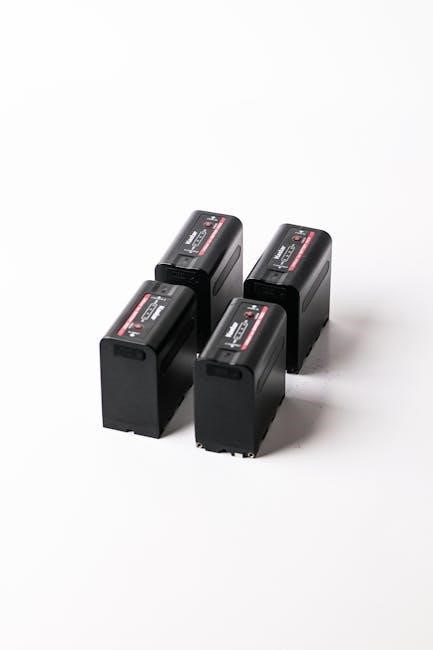
APC UPS units utilize LED indicators and audible alarms to communicate their status and potential issues. Understanding these signals is crucial for proactive maintenance and troubleshooting. LED indicators display information about power status, battery charge, and fault conditions. Audible alarms alert users to critical events like low battery, overload, or UPS failure.
Refer to your specific model’s documentation for a detailed interpretation of each indicator and alarm. Promptly addressing alarms prevents data loss and equipment damage, ensuring uninterrupted power protection for your valuable devices.
LED Indicators and Their Meanings
APC UPS LED indicators provide a quick visual assessment of the unit’s operational status. A solid green light typically signifies normal operation and a fully charged battery. A flashing green light often indicates the UPS is on battery power, but within acceptable parameters. Amber or yellow lights usually signal a warning, such as a low battery or overload condition requiring attention.
Red indicators denote critical faults, like a battery failure or internal error, demanding immediate action. Consult your UPS model’s manual for a comprehensive list of LED codes and their corresponding meanings to accurately diagnose and resolve any issues.

Audible Alarms and Troubleshooting
APC UPS units utilize audible alarms to alert users to various conditions. A continuous beeping sound often signifies a low battery, prompting a check of the power source and load. Short, repeating beeps may indicate an overload situation, requiring the disconnection of non-essential devices. A rapid, continuous alarm usually signals a critical fault, such as a battery failure or internal error.
To troubleshoot, first consult the LED indicators for a visual confirmation of the issue. Refer to the UPS manual for specific alarm codes and recommended solutions. Ignoring alarms can lead to data loss or equipment damage.
Connecting Devices to Your APC Battery Backup
Properly connecting devices ensures optimal protection during power outages. Begin by calculating the total power requirements (in watts) of all devices you intend to connect. Ensure this total does not exceed the UPS’s capacity (VA/Watts). Prioritize critical equipment like computers, servers, and network devices. Avoid connecting high-power devices like laser printers or space heaters, as they can quickly drain the battery.
Use surge-protected power strips connected to the UPS for multiple devices. Regularly check connections and avoid overloading any single outlet. Correct load connection maximizes runtime and safeguards your valuable electronics.
Proper Load Connection Techniques
Effective load connection is crucial for UPS performance. Distribute the load evenly across available outlets, avoiding concentration on a single circuit. Utilize high-quality surge protectors connected to the UPS to safeguard connected devices from voltage spikes. Regularly inspect cables for damage and ensure secure connections. Prioritize essential equipment, connecting non-critical devices directly to wall outlets.
Avoid daisy-chaining power strips, as this can overload the UPS. Consider the inrush current of devices, especially those with motors, when calculating power needs. Proper techniques extend battery life and maximize uptime during outages.
Calculating Power Requirements
Accurate power requirement calculation prevents overloading your UPS. Begin by identifying the wattage (W) of each device you intend to connect. This information is typically found on the device’s power supply label. Sum the wattage of all devices to determine the total power demand. Account for inrush current, a temporary surge when devices start, which can be 2-3 times the running wattage.
Ensure the total wattage, including inrush, remains within the UPS’s capacity (VA – Volt-Amps). Remember that VA is not equal to Watts; use the UPS’s wattage rating for comparison.
APC PowerChiller Network Management Card
The APC PowerChiller Network Management Card enhances UPS monitoring and control. This card enables remote access to UPS status, environmental data, and power events via a web browser or network management software. Configuration involves connecting the card to the UPS and assigning an IP address. Monitoring capabilities include battery runtime, load percentage, input/output voltage, and temperature.
Alerts can be configured to notify administrators of critical events, such as power outages or battery failures. This proactive approach ensures timely intervention and minimizes downtime, improving overall system availability and data protection.
Configuration and Monitoring
Configuring the APC PowerChiller card involves assigning a unique IP address within your network, accessible through a web browser interface. Initial setup requires defining network settings and enabling SNMP for integration with existing network management systems. Monitoring provides real-time data on UPS performance, including load levels, battery runtime estimations, and input/output power conditions.
Users can establish email notifications for critical events like power failures or low battery warnings. Detailed logs offer historical data for analysis, aiding in proactive maintenance and capacity planning. Remote access ensures continuous oversight, even outside of normal business hours.

Software and Monitoring Options
APC offers comprehensive software solutions for managing and monitoring your battery backup systems. PowerChiller software provides a user-friendly interface for configuring UPS settings, viewing real-time status, and scheduling automated tests. Remote monitoring capabilities allow administrators to oversee multiple UPS units from a central location, receiving alerts for critical events like power outages or battery failures.
These tools enable proactive maintenance, ensuring optimal performance and minimizing downtime. Data logging features provide valuable insights into power usage patterns and system health, supporting informed decision-making regarding capacity planning and upgrades.
APC PowerChiller Software Overview
APC PowerChiller software is a powerful tool designed for comprehensive UPS management. It offers a centralized platform to monitor power quality, battery health, and UPS status in real-time. Users can configure settings like automatic shutdown thresholds and notification preferences. The software provides detailed historical data logging, enabling analysis of power events and trends.
PowerChiller simplifies UPS administration, allowing for remote access and control. It supports multiple UPS units simultaneously, streamlining management for larger deployments. Its intuitive interface makes it accessible to both novice and experienced users, ensuring efficient and reliable power protection.
Remote Monitoring Capabilities
APC’s remote monitoring features extend power protection beyond the physical location of the UPS. Utilizing the PowerChiller software or a network management card, administrators can oversee UPS status from any networked device. This includes real-time monitoring of battery runtime, load levels, and environmental conditions.
Alerts and notifications can be configured to proactively inform users of potential issues, such as power outages or battery failures. Secure web-based access allows for remote control and configuration changes. This capability is crucial for businesses with multiple locations or critical infrastructure requiring constant oversight.
Troubleshooting Common Issues
Addressing common problems ensures uninterrupted power protection. If the UPS fails to turn on, verify the input power source and check the circuit breaker. For battery charging issues, confirm proper connections and consider battery age – replacement may be necessary. Investigate LED indicators and audible alarms for specific error codes.
Software diagnostics can pinpoint faults. If issues persist, consult the APC support website for FAQs and troubleshooting guides. Remember to prioritize safety during any inspection or repair. A failing battery is a frequent cause of UPS malfunction, requiring timely replacement for continued reliability.
UPS Not Turning On
If your APC UPS isn’t powering on, begin by verifying the input power cord is securely connected to a working outlet. Check the circuit breaker for trips and reset if necessary. Confirm the UPS’s on/off switch is in the ‘on’ position. A depleted battery can also prevent startup; allow sufficient charging time.
Inspect the UPS for any visible damage. If the problem persists, try a different outlet to rule out electrical issues. Consult the user manual for specific troubleshooting steps related to your model. Contact APC support if these steps fail to resolve the issue, providing model details.
Battery Not Charging
If your APC UPS battery isn’t charging, first ensure the unit is plugged into a functioning power source and the power switch is on. A faulty battery is a common cause; consider a replacement if the battery is old or nearing its end-of-life. Check the UPS’s LCD panel or software for battery status indicators and error messages.
Verify the load connected to the UPS isn’t exceeding its capacity, as this can prevent proper charging. Allow sufficient charging time, especially after a prolonged discharge. If issues persist, consult the APC documentation or contact support for assistance, providing your UPS model number.
Oklahoma Actual Physical Control (APC) Defense
Please note: This section addresses Oklahoma law regarding “Actual Physical Control” (APC) related to driving under the influence (DUI) or drug possession, and is included due to its appearance in the provided source material. It is unrelated to APC battery backups.
In Oklahoma, APC means having the capability to operate a vehicle, even if not actively driving. This can apply to DUI/DWI or drug crimes. A skilled attorney can challenge evidence related to APC, focusing on factors like vehicle location, key possession, and driver intent. Every case is unique, requiring a tailored defense strategy. Contact a qualified Oklahoma attorney for legal guidance.
What is Actual Physical Control Under Oklahoma Law?
Please note: This section details Oklahoma’s legal definition of “Actual Physical Control” (APC) and is included due to its presence in the provided source material. It is unrelated to APC battery backups.
Oklahoma law defines APC as possessing the ability to operate a vehicle, even if the engine is off and the driver isn’t actively driving. This can involve being in the driver’s seat with the keys present, or having recent access to the vehicle. Prosecutors must prove this capability beyond a reasonable doubt. Challenging APC charges requires experienced legal counsel to analyze the specific facts of the case and build a strong defense.
DUI, DWI, and APC Drug Crimes in Oklahoma
Please note: This section discusses Oklahoma laws regarding Driving Under the Influence (DUI), Driving While Impaired (DWI), and Actual Physical Control (APC) related to drug crimes. It is unrelated to APC battery backups and included solely due to its presence in the provided source material.
Oklahoma law extends APC to drug-related offenses. Possessing drugs while having the ability to control a vehicle can lead to APC charges, even without evidence of driving. Penalties can be severe, including fines, jail time, and license suspension. A skilled attorney can assess the evidence, challenge the legality of the stop, and explore potential defenses. Understanding these laws is crucial for anyone facing such accusations in Oklahoma.
APC UPS 1500VA / 900W Specifications
The APC UPS 1500VA / 900W provides reliable power protection for sensitive equipment. Input frequency operates at 60 Hz +/- 3 Hz, ensuring compatibility with standard power grids. Its switching current capacity is rated at 15 Amps, supporting a variety of devices. Output frequency synchronizes with the mains at 60 Hz. This model is designed for optimal performance within an operating temperature range, ensuring longevity and consistent operation. Proper ventilation is key to maintaining these specifications and maximizing the UPS’s lifespan, delivering stable power during outages.
Input and Output Frequency
The APC UPS 1500VA / 900W expertly manages input and output frequencies for stable power delivery. Its input frequency range is 60 Hz +/- 3 Hz, accommodating minor power grid fluctuations. Crucially, the output frequency synchronizes precisely with the mains at 60 Hz, ensuring seamless power transfer during normal operation. This synchronization minimizes disruptions to connected equipment. Maintaining these frequencies is vital for optimal performance and preventing potential damage to sensitive electronics, providing a consistent and reliable power source.

Operating Temperature Range
The APC UPS 1500VA / 900W is engineered to function reliably within a specified temperature range, ensuring optimal performance and longevity. Its operating temperature is between 0°C and 40°C (32°F and 104°F). Operating outside this range can compromise the UPS’s ability to protect connected equipment and may even cause permanent damage. Maintaining a suitable ambient temperature is crucial for battery health and overall system stability, guaranteeing consistent power backup when needed. Proper ventilation is also recommended to prevent overheating.
Warranty Information for APC Batteries
APC stands behind its batteries with robust warranty coverage, ensuring customer satisfaction and peace of mind. Genuine APC batteries are thoroughly tested and certified for compatibility, restoring UPS performance to original specifications. Typically, APC offers a two-year warranty on its batteries, covering defects in materials and workmanship. This warranty protects against premature failure and ensures reliable operation. Registering your battery promptly after purchase is crucial for validating warranty claims. Non-genuine batteries void the UPS system warranty, so always choose authentic APC replacements.

Genuine APC Batteries and Warranty Coverage
Utilizing genuine APC batteries is paramount for maintaining optimal UPS performance and upholding warranty validity. These batteries undergo rigorous testing and certification, guaranteeing seamless compatibility with your APC system. APC’s warranty coverage typically spans two years, safeguarding against defects in materials and workmanship. Employing non-genuine batteries immediately voids the UPS system’s warranty, potentially leaving you without support. Registering your APC battery post-purchase is essential to activate and validate your warranty claims, ensuring prompt assistance should any issues arise.
Two-Year APC Warranty Details
APC’s standard two-year warranty covers defects in materials and workmanship on all battery cartridges. This warranty begins on the date of the end-user purchase. During this period, APC will, at its discretion, repair or replace the defective battery cartridge. The warranty is void if the battery has been misused, abused, or altered. Proper installation and adherence to APC’s guidelines are crucial for warranty eligibility. Proof of purchase is required for all warranty claims. This warranty provides peace of mind, ensuring reliable power protection.
Related Posts

honeywell 5853 manual
Honeywell 5853 Wireless Glass Break Detector: A Comprehensive Manual Guide…

casio hr 170rc manual
Strawberries, a beloved fruit, thrive across the US, ripening first…

hdx sprayer parts manual
HDX Sprayer Parts Manual: A Comprehensive Guide This manual details…